API URL and Key
This guide explains how customers can locate their respective API URLs and generate API keys to start integrating with the platform.
🔑 Accessing Your API URL and Key
To integrate with BulkEmailSetup, you'll need your unique API URL and API key.
👤 Customer Panel
Step 1: Go to API Section
Login to your Customer Account
Go to the API Section from Navigation Menu
Step 2: View API URL
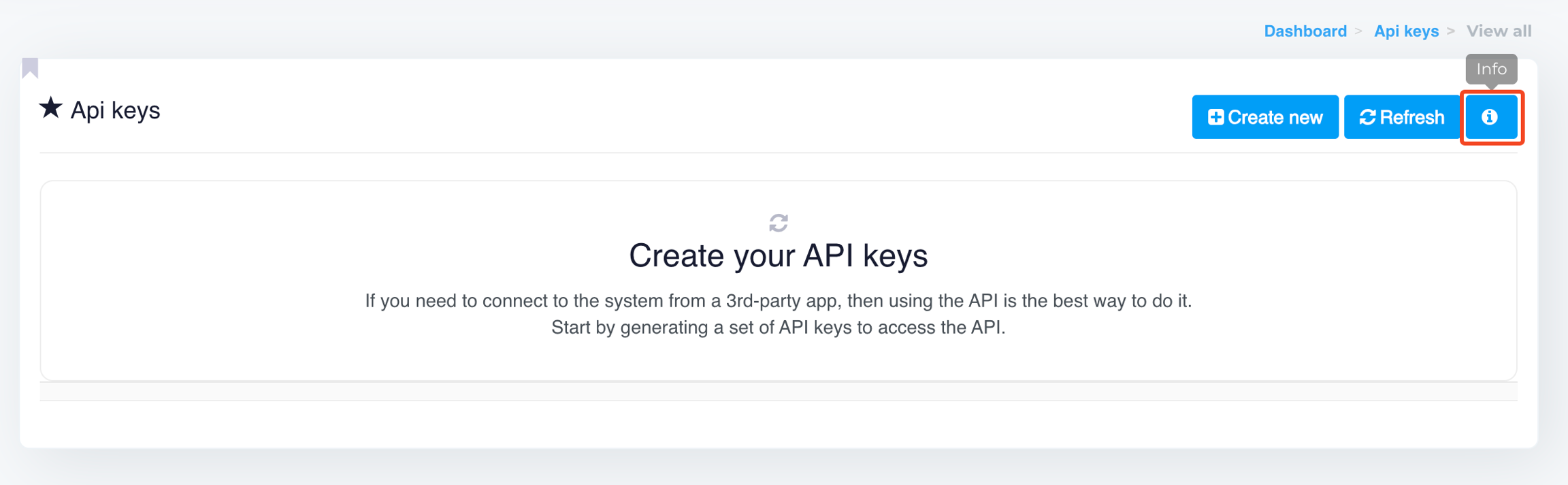
Once in the API section, click the info icon (
ℹ️)

A pop-up will show your API base URL 📌 Example:
https://app.bulkemailsetup.com/account/api
Step 3: Create API Key
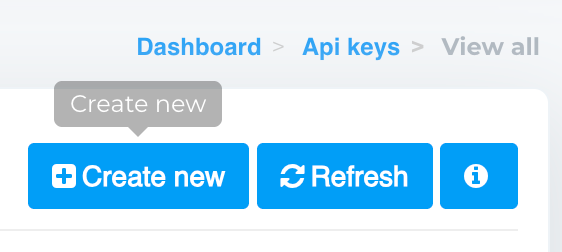
Click the Create new button

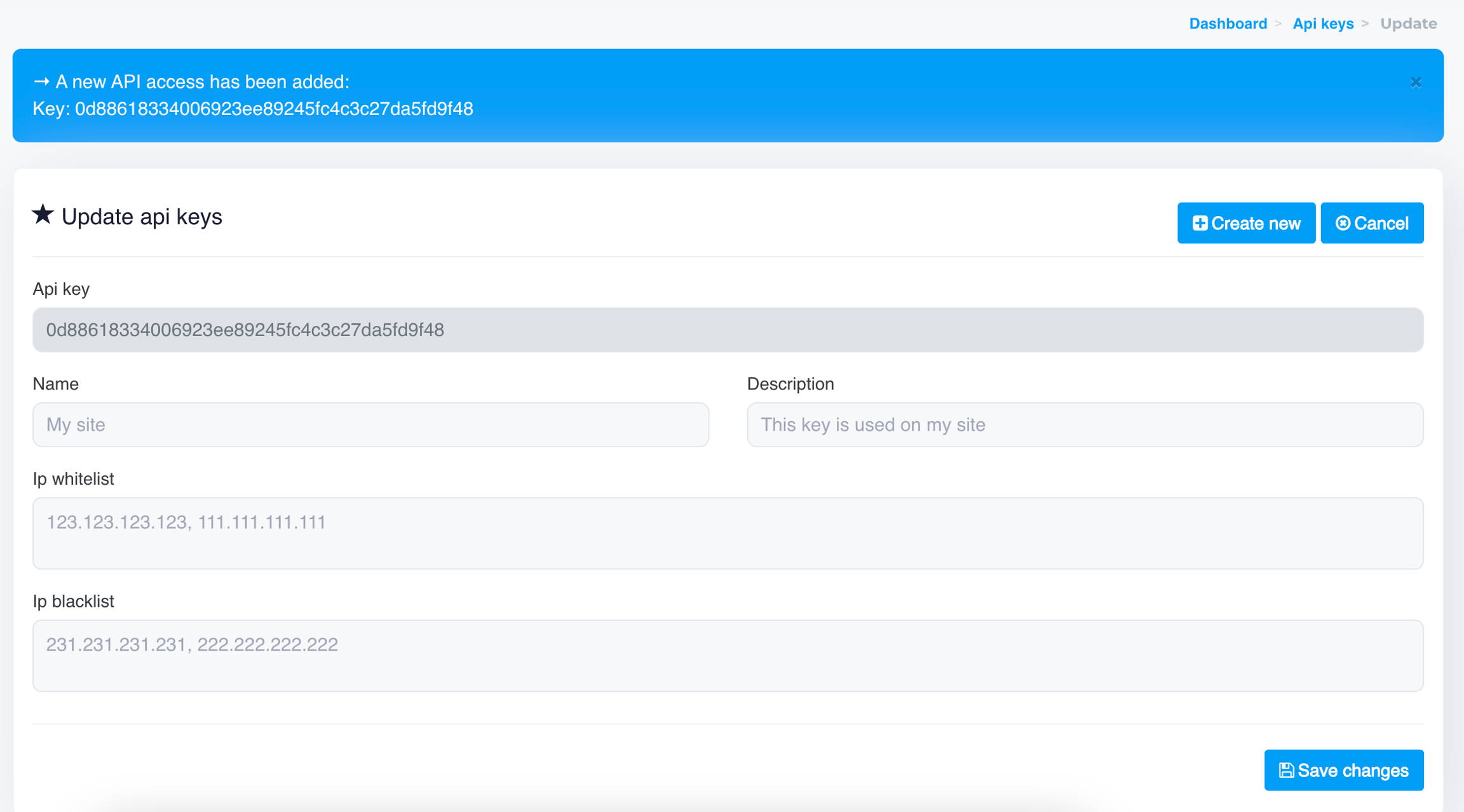
Your API key will be instantly generated
You can add optional fields like:
Name (to label the key)
IP Whitelist
IP Blacklist

After entering the optional fields, click Save changes
Final Notes
Use the generated API key in your integration headers or parameters.
Always whitelist trusted IPs when setting up your API key for added security.
You can manage, regenerate, or revoke API keys anytime from the same section.
Last updated